Binder, a collection tracker for Magic: The Gathering
A hobby project that turned Swift lessons into a tool for collectors.
Summary
Binder is a native iOS app built to help Magic: The Gathering players keep track of the physical cards they own—and more importantly, understand what those collections are worth.
Born out of a personal need and a desire to learn Swift, Binder connects to the Scryfall API to fetch real-time card data and pricing. Users can scan cards using VisionKit, organize them into collections, and browse their entire inventory—all from their phone.
This project also gave me a chance to "vibe code" in a new way—working entirely in Cursor and using OpenAI's macOS app to debug, refactor, and ideate in real time. It made the learning process not just smoother, but more collaborative and creative.
The Problem
Like many Magic players, I've accumulated thousands of physical cards over the years—but had no real sense of their total value. High-value cards are usually stored in a separate binder, but even that system is manual and hard to search.
Most tracking apps are bloated or overly focused on gameplay. I wanted something lightweight, focused on collection management, and integrated directly with camera-based input.
The Approach
This project was both a learning experience in iOS development and a practical tool I wished existed. I kept the design simple and built the app around three main tabs:
- 📇 My Cards
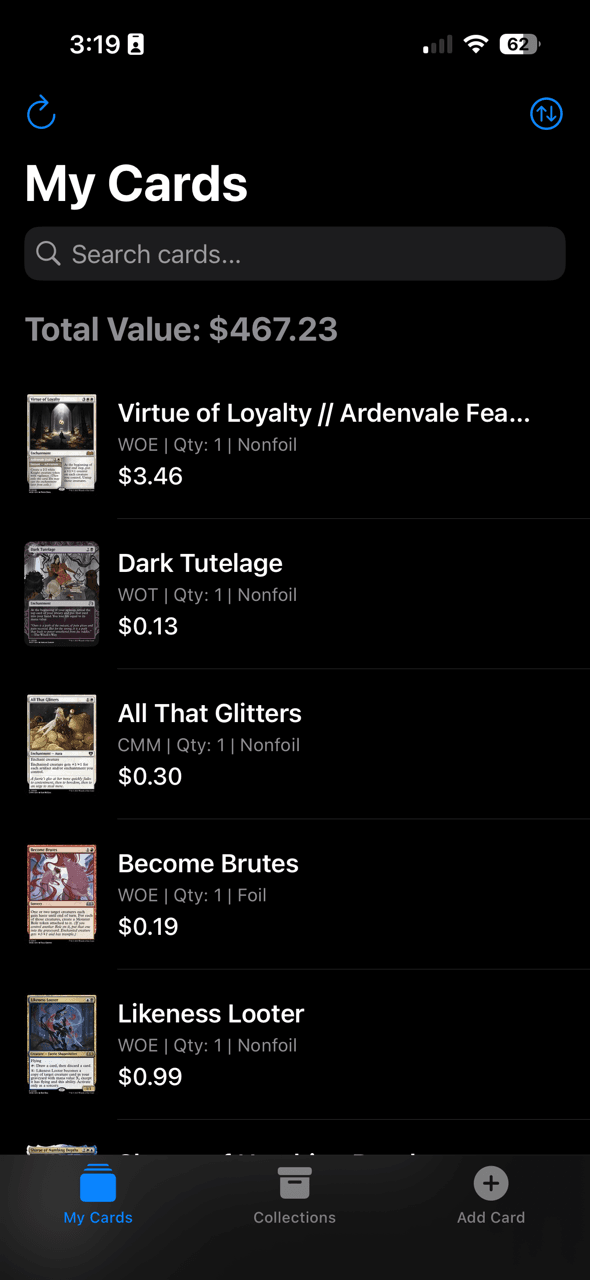
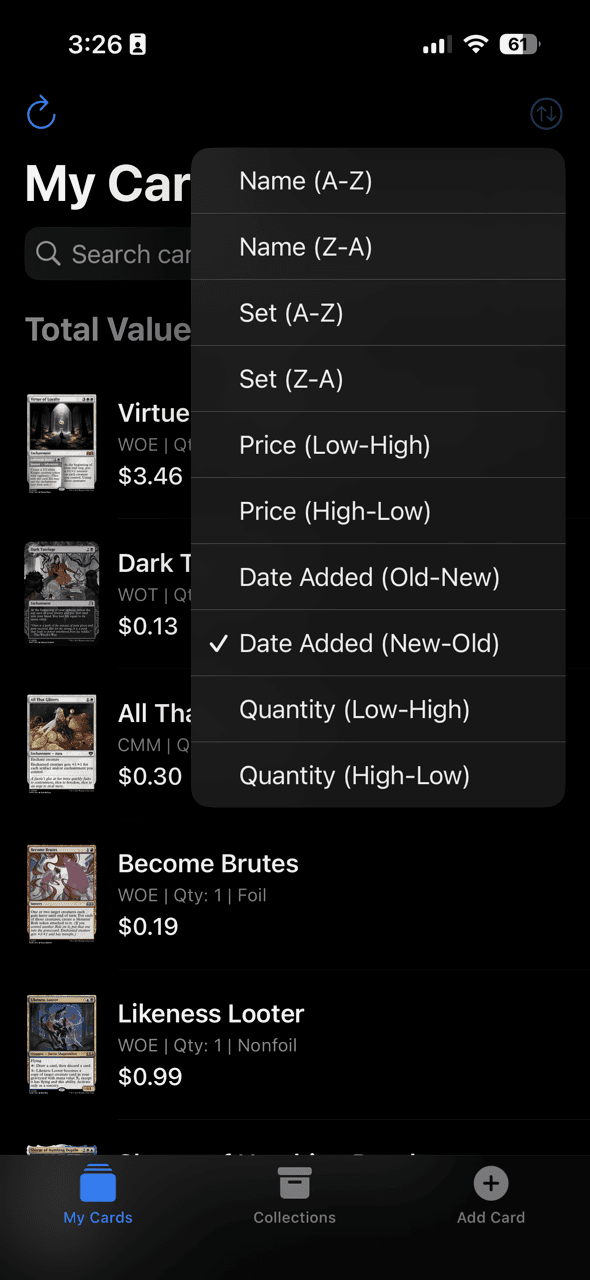
A searchable list of all scanned or manually added cards. Each entry shows the card image, set info, and current market price pulled from Scryfall. - 📁 Collections
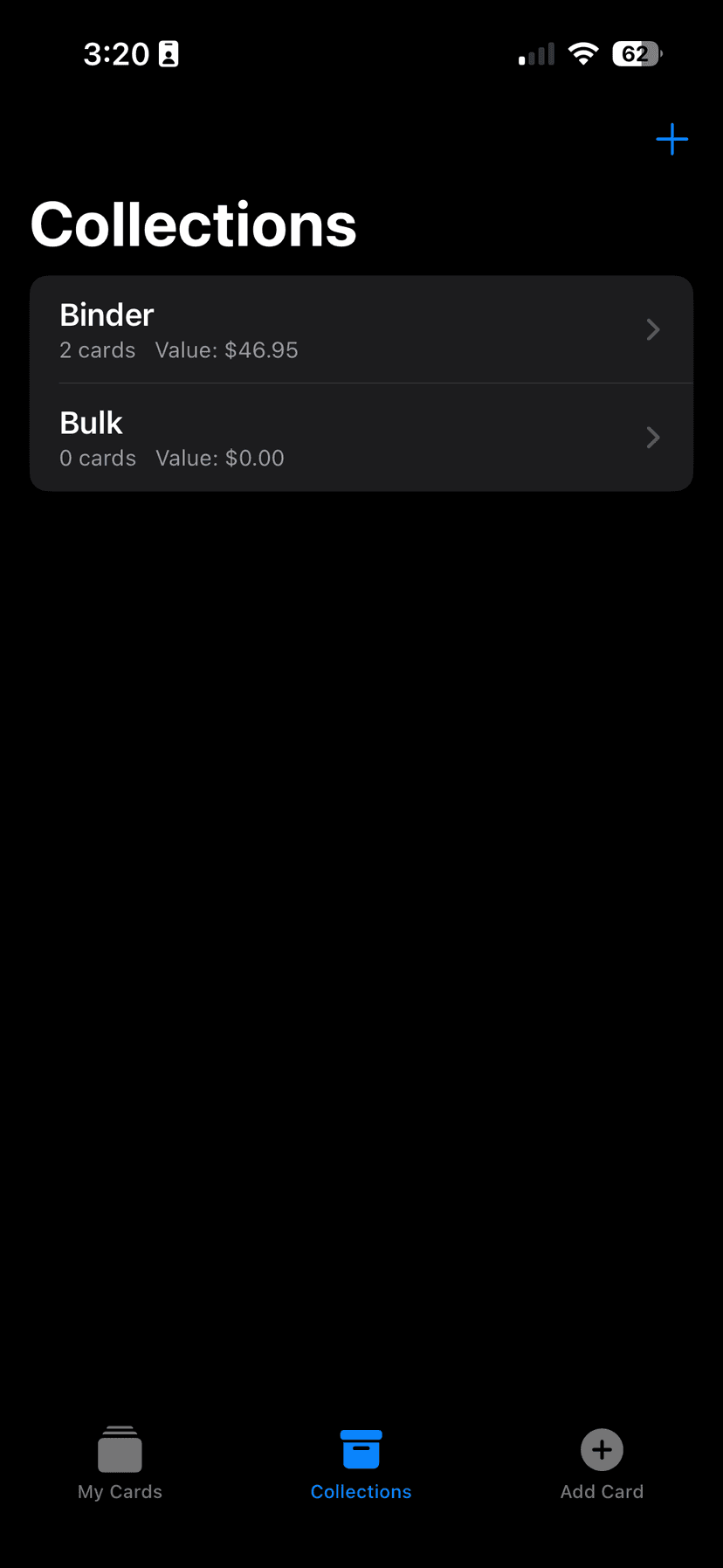
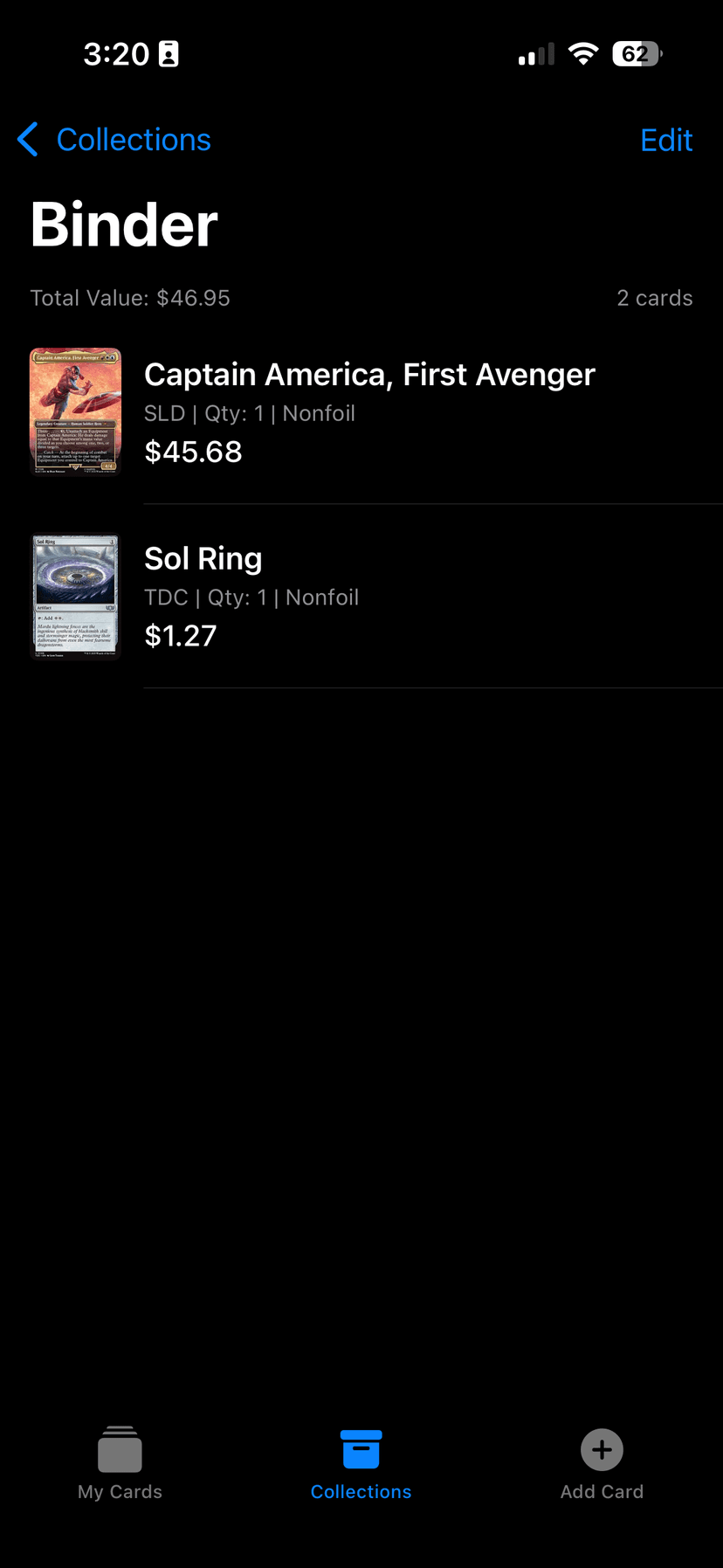
Users can create custom collections (e.g. "Commander Deck", "Rare Binder", "For Trade") to organize their inventory more meaningfully. - ➕ Add Card
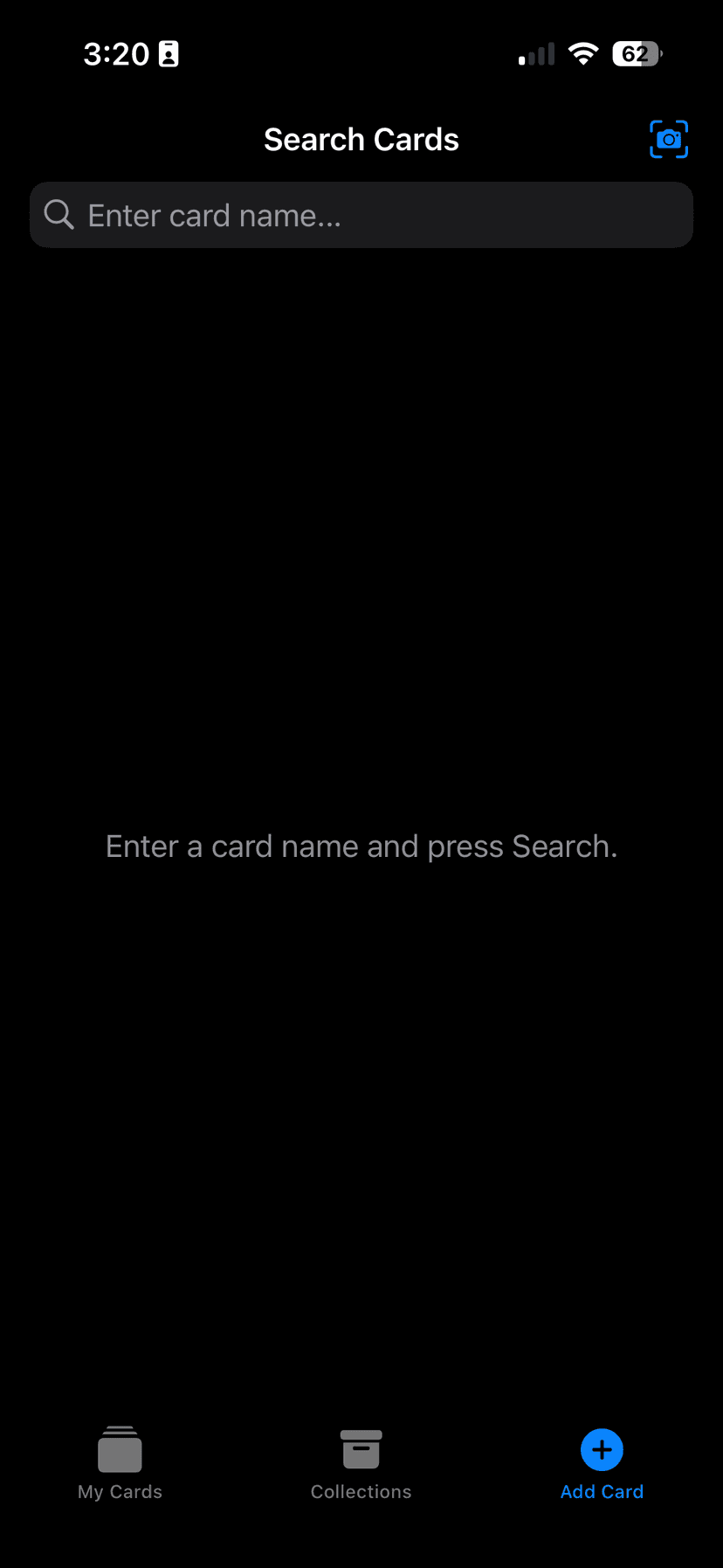
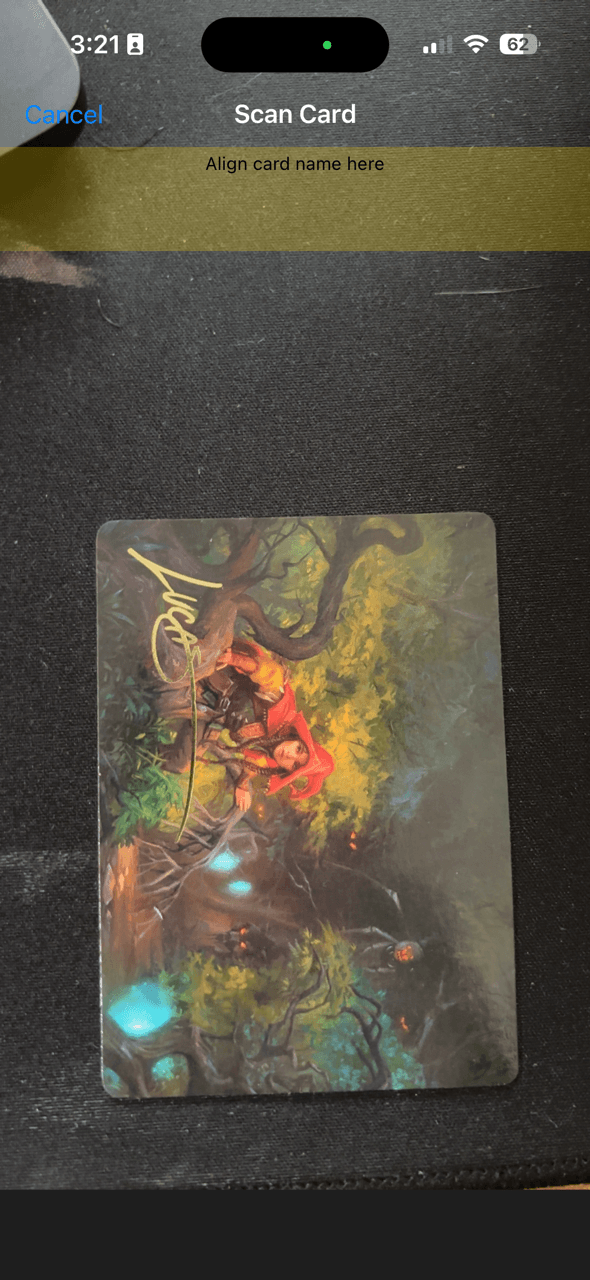
Users can either search by name or use VisionKit to scan a card's front. The app pulls back metadata and an estimated price based on the scan and adds it to their library.
Core architectural layers
Binder follows a clean MVVM (Model-View-ViewModel) variant, optimized for SwiftUI and SwiftData:
- Model
Pure data definitions annotated for SwiftData persistence:- Card holds all relevant fields (identifiers, metadata, pricing, image URLs, container reference).
- CardContainer represents user-created "binders" or boxes and maintains a to-many relationship with Card.
- Having these as SwiftData models means you get automatic database handling, change tracking, and relationship management—with zero boilerplate.
- ViewModel
Acts as the bridge between our models and views, exposing only the data and actions the UI needs.- Combine publishers drive SwiftUI updates, keeping the UI responsive and declarative:
- CollectionViewModel: Publishes an array of Card objects, sorted and filtered based on search text or selected container. Listens for price-refresh triggers to re-fetch market data in the background.
- AddCardViewModel: Manages the OCR scan state, holds the selected CardDTO from Scryfall, and maps it into a persisted Card. Emits error states ("Camera permission denied", "No text detected") that the UI surfaces as inline alerts.
- View
SwiftUI screens and components, fully reactive to ViewModel publishers:- ContentView presents the master list of cards, with pull-to-refresh and search bar integrated directly into the navigation header.
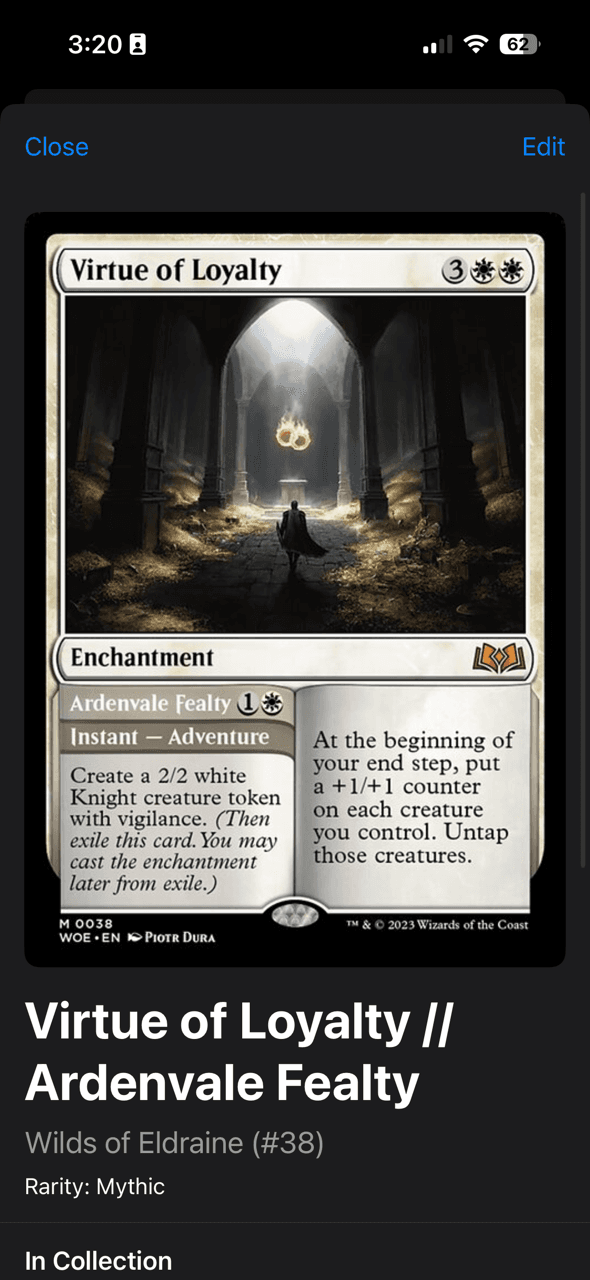
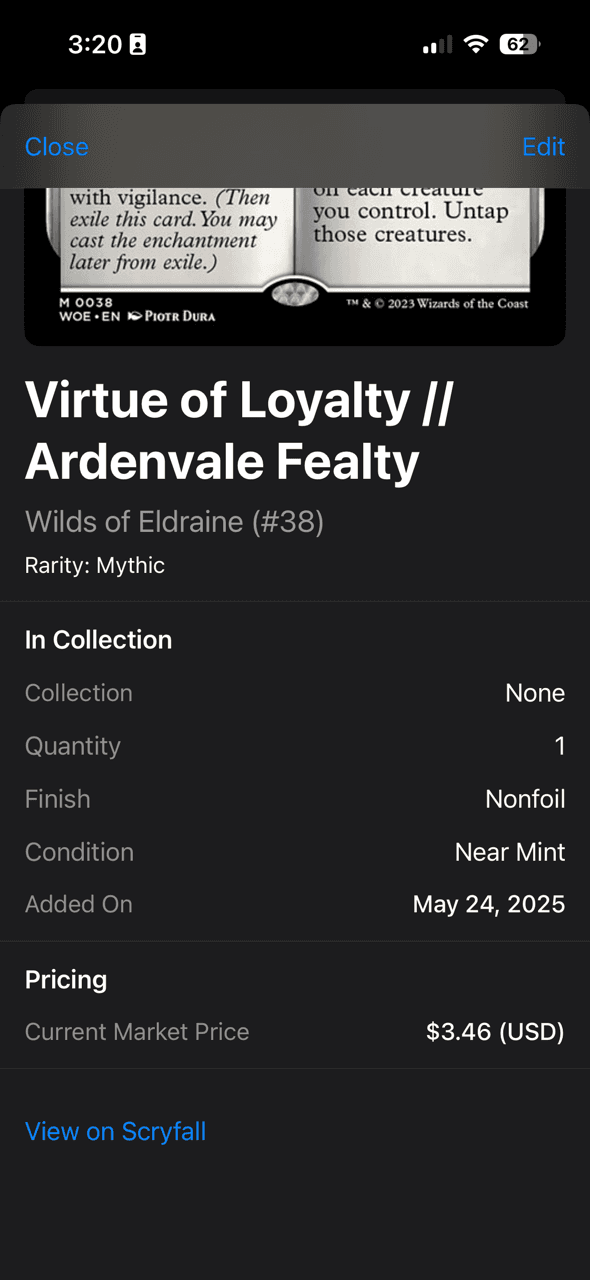
- CardDetailView allows editing of individual card properties (condition, finish, quantity) with instant SwiftData sync.
- AddCardDetailView shows OCR results or search listings in a clean, step-by-step modal flow.
- ContainerCardsView groups cards by user-defined containers, using SwiftUI's ForEach to render dynamic sections.
Data flow & state management
- App Launch
SwiftData automatically loads persisted Card and CardContainer objects into memory. CollectionViewModel subscribes to the data store and publishes initial values to ContentView. - Browsing & Searching
As the user types in the search field, CollectionViewModel filters the in-memory Card array via a Combine .map operator—no network call needed for local queries. Clearing the field reverts to the full list. - Adding a Card
- Manual Entry: User types a name → AddCardViewModel.searchCards(query) triggers the ScryfallService → results populate a SwiftUI List → user selects → AddCardViewModel transforms the DTO into a Card and saves it.
- OCR Scan: Tapping "Scan" presents CardScannerView: CameraCoordinator streams frames to Vision's VNRecognizeTextRequest. Recognized text is filtered for title-case patterns; the first confident match feeds back into the ViewModel. The scanner view dismisses, auto-filling the search and continuing as a manual flow.
- Persisting & Syncing
New or edited cards instantly write to disk via SwiftData, meaning changes reflect across all relevant views without explicit reloads. A background task can re-query Scryfall for updated pricing, then update each Card's currentPrice—automatically refreshing any visible price labels.
UX-centric screen flows
| Screen | Purpose | UX Consideration |
|---|---|---|
| ContentView | Master list + search | Inline search saves a tap; pull-to-refresh feels native. |
| CardDetailView | Inspect & edit card attributes | Inline editing fields prevent context switches. |
| AddCardDetailView | Confirm auto-detected card or choose from list | Stepper-based quantity selector; clear "Add" CTA. |
| CardScannerView | Live OCR scanning | Full-screen camera feed with minimal UI chrome. |
| AddContainerSheet | Create or rename a collection | Modal sheet keeps context in parent list. |
| ContainerCardsView | Grouped view by binder/box | Dynamic sections help users see category breakdowns. |
Each view was designed to minimize cognitive load: consistent headers, clear CTAs, and contextual inline feedback (e.g., "No matches found" beneath the search bar).
By combining a robust, testable MVVM structure with SwiftUI's reactive power—and pairing that with VisionKit for real-world scanning—Binder delivers a polished, efficient collection-management experience. Recruiters will spot the solid architectural decisions and clean code patterns; UX designers will appreciate the friction-free flows and attention to context at every step.
Key Features
- VisionKit Integration
Snap a photo of a card and Binder tries to auto-identify it using Scryfall's API, streamlining the card entry process. - Live Pricing
Market data is pulled in real-time, so users always have an up-to-date view of their collection's value. - Local Storage via SwiftData
Cards are stored locally, making the app fast and usable even without a persistent internet connection.
What I Learned
- Building a full SwiftUI app with native persistence
- Consuming and parsing third-party APIs
- Implementing VisionKit for real-world scanning
- Thinking like a product owner and a solo dev
- Using AI-native tools to streamline mobile development
Why It Matters (To Me)
Binder isn't on the App Store (yet), but it's functional, fast, and genuinely useful to me and other MTG players who live somewhere between casual play and hardcore collecting. It also represents a shift in how I build—using AI not as a shortcut, but as a creative partner.
What's Next
- Cloud sync or iCloud backups
- Exporting collection summaries for insurance or trade
Gallery